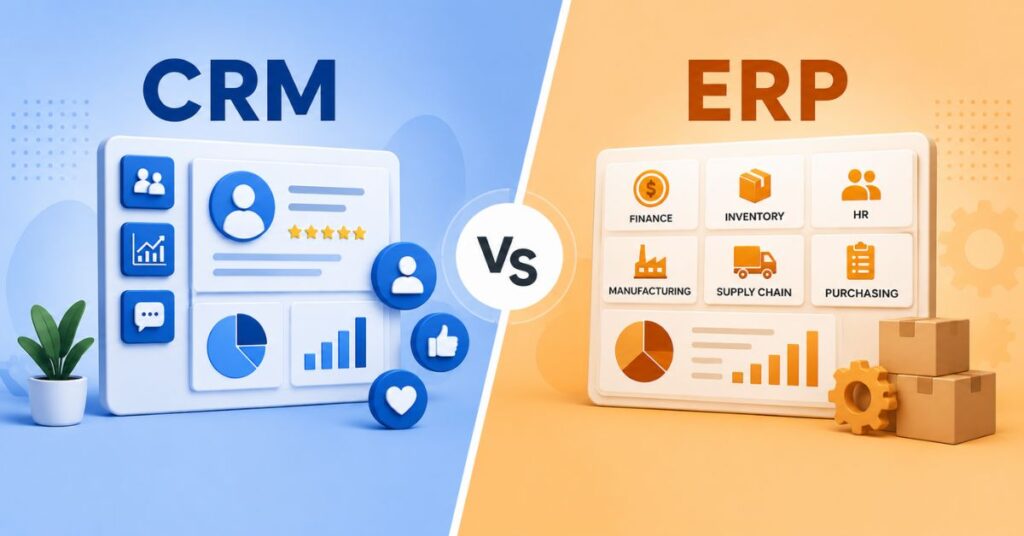

ERP implementation is the process of planning, configuring, and rolling out an enterprise resource planning system across your organisation, so that finance, inventory, production, and HR finally run on one connected platform instead of five disconnected tools. It sounds straightforward on paper. In practice, most ERP projects run into delays, budget overruns, or a system that goes live but never gets properly adopted. This guide walks through what actually happens during ERP implementation, the real costs and timelines Indian businesses should expect, and the mistakes that quietly derail most rollouts.
What Does ERP Implementation Actually Involve?

Enterprise resource planning implementation is not just installing software and handing out logins. It involves mapping your current processes, migrating years of data, configuring the system to match how your business actually works, integrating it with other tools you already use, and training every department to work inside it. Somewhere in between, you also need to manage the organizational change that comes with people giving up spreadsheets and manual registers they’ve relied on for years.
This is why ERP implementation is usually treated as a proper project, with a dedicated timeline, budget, and team, rather than something squeezed in alongside everyone’s regular job.
Why ERP Implementation Matters for Indian Businesses
A well-executed ERP implementation gives you centralized data across departments, so your finance team, warehouse, and sales team are all looking at the same numbers in real time. That alone eliminates a huge chunk of the reconciliation work that eats up time at month-end.
Beyond that, it brings real operational visibility. Owners and managers can see stock levels, cash flow, and production status without waiting for someone to compile a report. For Indian businesses specifically, ERP also needs to handle GST-compliant invoicing, e-invoicing rules, TDS calculations, and multi-branch inventory correctly from day one, since getting these wrong creates compliance headaches that are far more expensive to fix later than to plan for upfront.
The benefits compound over time too. Businesses typically start seeing measurable ROI, in the form of reduced manual effort, fewer errors, and faster reporting cycles, somewhere between twelve and twenty four months after go-live.
The ERP Implementation Process: Phases That Actually Work
Most successful ERP implementation projects follow a similar sequence of phases, even if the exact naming varies between consultants.
- Phase 1: Discovery and requirement mapping. Before any software gets touched, you map out your actual business processes, the ones that exist in reality, not the ones written in an old process document nobody follows anymore. This is where you decide which ERP modules matter and which can wait.
- Phase 2: Implementation planning. This is where you build your ERP implementation plan and roadmap, covering budget, timeline, resourcing, and which implementation methodology you’ll follow. A good plan also names a dedicated project leader early, someone with real decision-making authority, not just someone assigned the task on top of their existing role.
- Phase 3: System configuration. The ERP is set up to match your workflows, chart of accounts, tax rules, and approval hierarchies. This is also when software integration with your existing tools, like your CRM, e-commerce platform, or payment gateway, gets planned and built.
- Phase 4: Data migration. Historical data from your old systems gets cleaned, mapped, and moved into the new ERP. This step is far more time-consuming than most businesses expect, and skipping the data cleanup step is one of the most common causes of a messy go-live.
- Phase 5: Testing. The system gets tested in an environment that mirrors your live setup as closely as possible, including realistic data volumes and actual workflows, not just isolated features in a demo environment.
- Phase 6: Training and change management. Users need hands-on practice with full workflows, including how to handle exceptions and errors, not just a one-hour walkthrough of the main screens. This is also where organizational change gets managed directly, since resistance almost always comes from people who don’t feel prepared, not from people who dislike the software itself.
- Phase 7: Go-live and stabilisation. The system goes live, usually with extra support on standby for the first few weeks to catch issues quickly. Go-live is a milestone, not the finish line. Expect a stabilisation period where minor issues get fixed as real usage surfaces them.
- Phase 8: Continuous improvement. Once things settle, most businesses set up a lighter cadence of reviews, monthly operational check-ins and quarterly strategy sessions, to keep refining the system as the business grows.
ERP Implementation Methodology: Choosing Your Approach
There are four broad strategies for rolling out an ERP system, and picking the wrong one for your business size is a common source of ERP implementation challenges.
| Approach | Best suited for | Main risk |
|---|---|---|
| Big bang | Small businesses with simple workflows and a tight timeline | High disruption if something breaks across departments at once |
| Phased | Mid to large businesses with multiple departments | Longer overall timeline, some inconsistency during transition |
| Parallel | Regulated industries or businesses that can’t afford downtime | Double data entry and higher resource demand during overlap |
| Hybrid | Larger or multi-location businesses balancing speed and risk | Needs strong project governance to avoid fragmentation |
For most Indian SMEs, a phased ERP deployment, starting with finance and inventory and adding modules once each is stable, tends to be the safer and more affordable route compared to switching everything overnight.
On top of the rollout strategy, you’ll also choose between two project management styles. Waterfall implementation moves through each phase in a fixed order, one completed before the next begins, which works well for larger, more complex ERP rollouts where structure matters more than speed. Agile implementation gets a working system live faster through shorter cycles and more frequent reviews, but carries a higher risk of going live with gaps if it’s not managed carefully. Many ERP implementation consultants in India now recommend a blended approach, agile for configuration and testing, but with waterfall-style governance around budget and scope.
ERP Implementation Timeline: What to Realistically Expect
Timelines vary a lot depending on business size, number of modules, and how much data needs migrating.
- Small businesses (cloud ERP, under 50 users): Typically 6 weeks to 6 months.
- Mid-size businesses (50 to 500 users): Usually 6 to 12 months for a stable rollout.
- Large or multi-location enterprises: Can take 12 to 24 months, especially with on-premise deployments or heavy customisation.
Interestingly, bigger isn’t always slower. Mid-sized companies with focused scope often go live faster than very large enterprises juggling dozens of departments and legacy systems. Roughly half of all ERP projects miss their original go-live date, which is exactly why building buffer time into your ERP implementation plan matters more than trying to hit an aggressive fixed deadline.
Also Read: How to Build a WordPress Website (Step-by-Step Guide for Beginners)
ERP Implementation Cost: A Realistic Breakdown for India
ERP implementation cost in India varies widely, but as a general range, small businesses can expect to spend anywhere from 2 to 15 lakh rupees for a cloud ERP rollout, while larger, multi-location businesses with heavy customisation can run into 50 lakhs or more.
A few things drive this cost beyond the software licence itself:
- Planning and requirement mapping: Often underestimated, but this stage prevents expensive rework later.
- Licensing: Usually charged per user, per year, for cloud ERP systems.
- Customisation and integrations: Connecting your ERP to your CRM, e-commerce store, or payment systems adds cost depending on complexity.
- Data migration: Cleaning and moving historical data, often more expensive than expected if your existing records are messy.
- Training: Per-user onboarding costs that are easy to skip on paper and expensive to skip in practice.
- Annual support and maintenance: Usually 15 to 20 percent of your licensing cost every year going forward.
A useful rule of thumb, borrowed from experienced ERP consulting services, is that implementation and services can end up costing as much as the software licence itself, sometimes more. Budgeting only for the software and not the surrounding work is one of the fastest ways to blow through an ERP budget.
Common ERP Implementation Challenges
Most ERP implementation failures aren’t caused by bad software. They come down to planning and execution gaps:
- Scope creep: Adding modules or customisations mid-project without adjusting the timeline or budget.
- Unrealistic timelines: Compressing a phased rollout into an unrealistic deadline to satisfy a launch date that was never grounded in the actual scope.
- Weak training: Rushing user training in the final weeks, which leads to poor adoption even after a technically successful go-live.
- Skipping proper testing: Going live without testing full workflows under realistic data loads, only to discover critical gaps once real transactions start flowing.
- No clear project ownership: Without a dedicated leader with real authority, decisions stall and vendor promises go unchecked.
- Underestimating change management: Employees resist a new system when they don’t feel prepared, not because the system itself is bad.
ERP Implementation Best Practices and Checklist
A few habits consistently separate successful rollouts from painful ones:
- Appoint a dedicated project leader with real decision-making authority, not someone managing this on the side of their regular job.
- Break the rollout into phases. Start with finance and inventory, prove stability, then expand.
- Centralise all project information. Budgets, timelines, risks, and decisions should live in one place, not scattered across emails and spreadsheets.
- Review progress every two weeks, not quarterly, so problems get caught while they’re still cheap to fix.
- Test in a production-like environment with real data volumes before go-live.
- Train on full workflows, including how to handle exceptions, not just the happy path.
- Plan for stabilisation time after go-live instead of treating launch day as the finish line.
- Set up ongoing governance for continuous improvement once the system is stable.
Choosing the Right ERP Implementation Partner
Picking an ERP implementation partner or consultant matters just as much as picking the software itself. A good ERP consulting services provider brings experience from similar rollouts in your industry, catches planning gaps before they become expensive, and pushes back on unrealistic vendor promises instead of just repeating them.
Look for a partner who asks detailed questions about your actual workflows before recommending modules, who’s transparent about full costs including customisation and support, and who has references from businesses of a similar size in India, since compliance and operational needs here differ quite a bit from global markets.
If your business has workflows that don’t fit neatly into a standard ERP template, it’s also worth exploring whether a custom-built solution makes more sense than forcing an off-the-shelf platform to work. Our custom software development guide for Indian businesses breaks down when a custom build is the better long-term investment compared to configuring a generic system around your processes.
ERP System Integration and Reporting
Once your ERP is live, its real value shows up through integration and reporting and analytics. ERP system integration connects your ERP to your CRM, e-commerce platform, payment gateway, or logistics partners, so data flows automatically instead of being re-entered manually across systems. This is what turns an ERP from a standalone accounting tool into the operational backbone of the business.
Reporting and analytics dashboards, once properly configured, give owners real-time visibility into cash flow, stock levels, and department performance, replacing the month-end scramble to pull numbers together manually.
Interesting Reads:
Website Conversion Optimization: 10 Proven Strategies to Increase Leads
Core Web Vitals: The Complete Guide to Faster, Higher Ranking Websites